
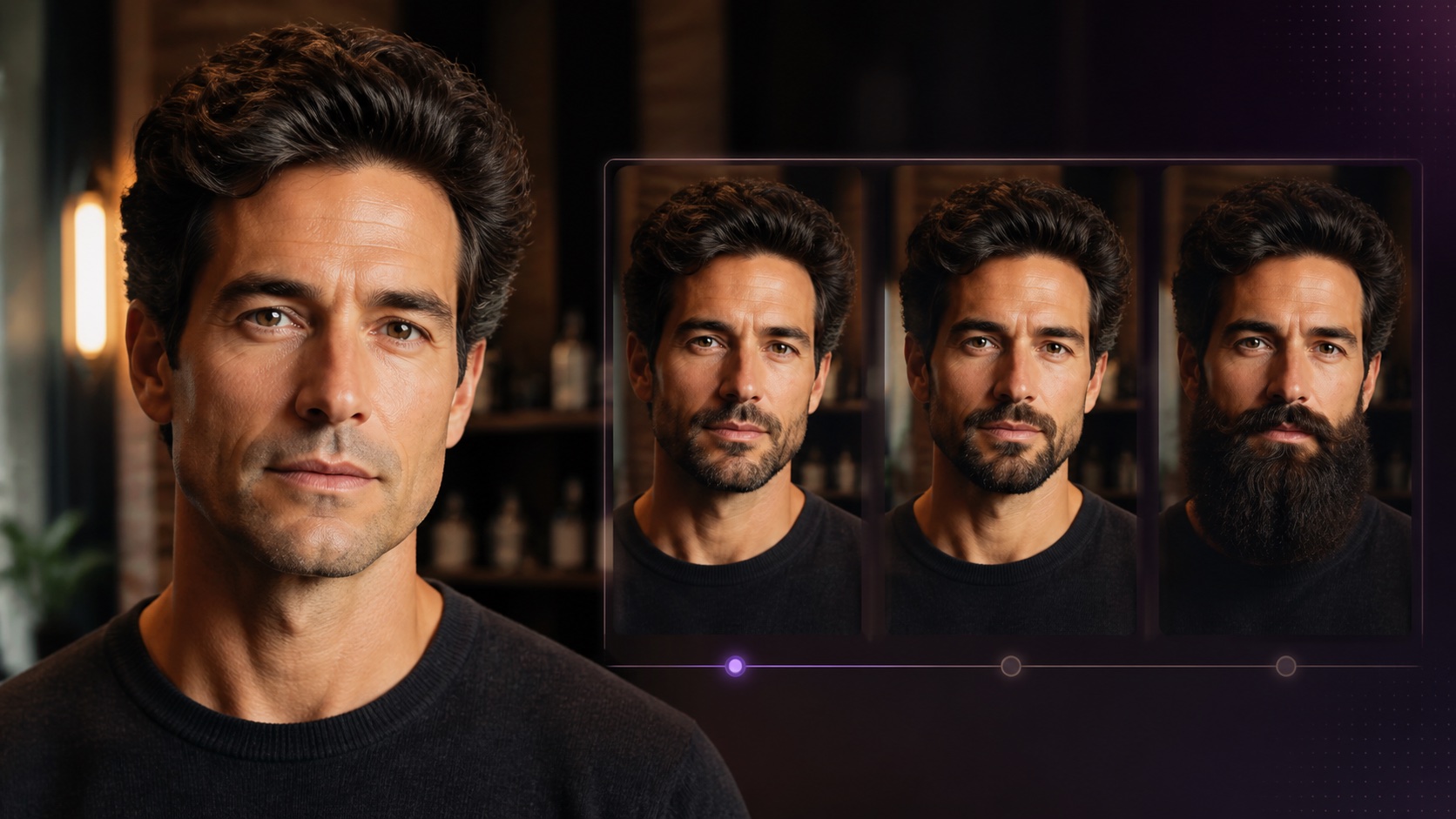
An AI beard generator adds a visual beard concept to an adult portrait so you can compare length, shape, density, and grooming style before changing your real facial hair. Use a sharp front-facing image with even light and a visible jawline. Compare several restrained styles, check that hair growth follows the face and lighting, and treat the output as a visual preview rather than a promise about real growth density or timing.
What an AI beard generator is useful for
A beard preview helps answer a visual question that is hard to solve in a mirror: how would a different facial-hair outline change the apparent shape of the face? Short stubble can add definition without much volume. A boxed beard can create a stronger jaw edge. A fuller beard can lengthen the lower face or balance a broad forehead. Seeing those options on your own portrait makes a barber consultation more specific.
The preview does not measure follicles, predict density, or guarantee that your beard will grow into the exact result. Real growth depends on age, genetics, pattern, care, and time. Use the output as styling inspiration. Start in the AI beard generator studio and open the dedicated beard style generator to compare realistic adult grooming concepts.
Prepare a portrait that shows the full beard area
Choose a sharp head-and-shoulders photo taken close to eye level. The jaw, chin, cheeks, upper lip, sideburns, and neck should be visible. A front-facing pose is easiest for judging symmetry, while a gentle three-quarter portrait also reveals how volume projects from the jaw. Avoid hands on the face, high collars covering the neck, strong motion blur, and dramatic shadows that hide one cheek.
Use soft frontal or side light with realistic skin tone. Very hard overhead light creates dark patches that can be mistaken for hair, and colored lighting can produce unnatural beard color. If you already have stubble, that is fine; it can provide useful growth direction. Avoid beauty filters that reshape the jaw or smooth away every pore because the generated facial hair needs genuine skin texture and facial geometry to sit naturally.
Choose beard styles based on visual balance
Face-shape advice is a starting point, not a rule. A rounder face may look more defined with shorter sides and slightly more length at the chin. A long face can often carry fuller sides without extra chin length. A square jaw may suit stubble, a short boxed outline, or a softly rounded full beard depending on the desired effect. An oval face supports many options, so maintenance preference and natural growth pattern become more important.
Also consider hair style, glasses, mustache preference, workplace expectations, climate, and daily maintenance. A dense sculpted beard in a preview may require regular lining and product, while natural short stubble is easier to maintain but still needs a clean neckline. Generate a small range—stubble, short boxed, medium natural, and fuller—before making tiny variations of one style.
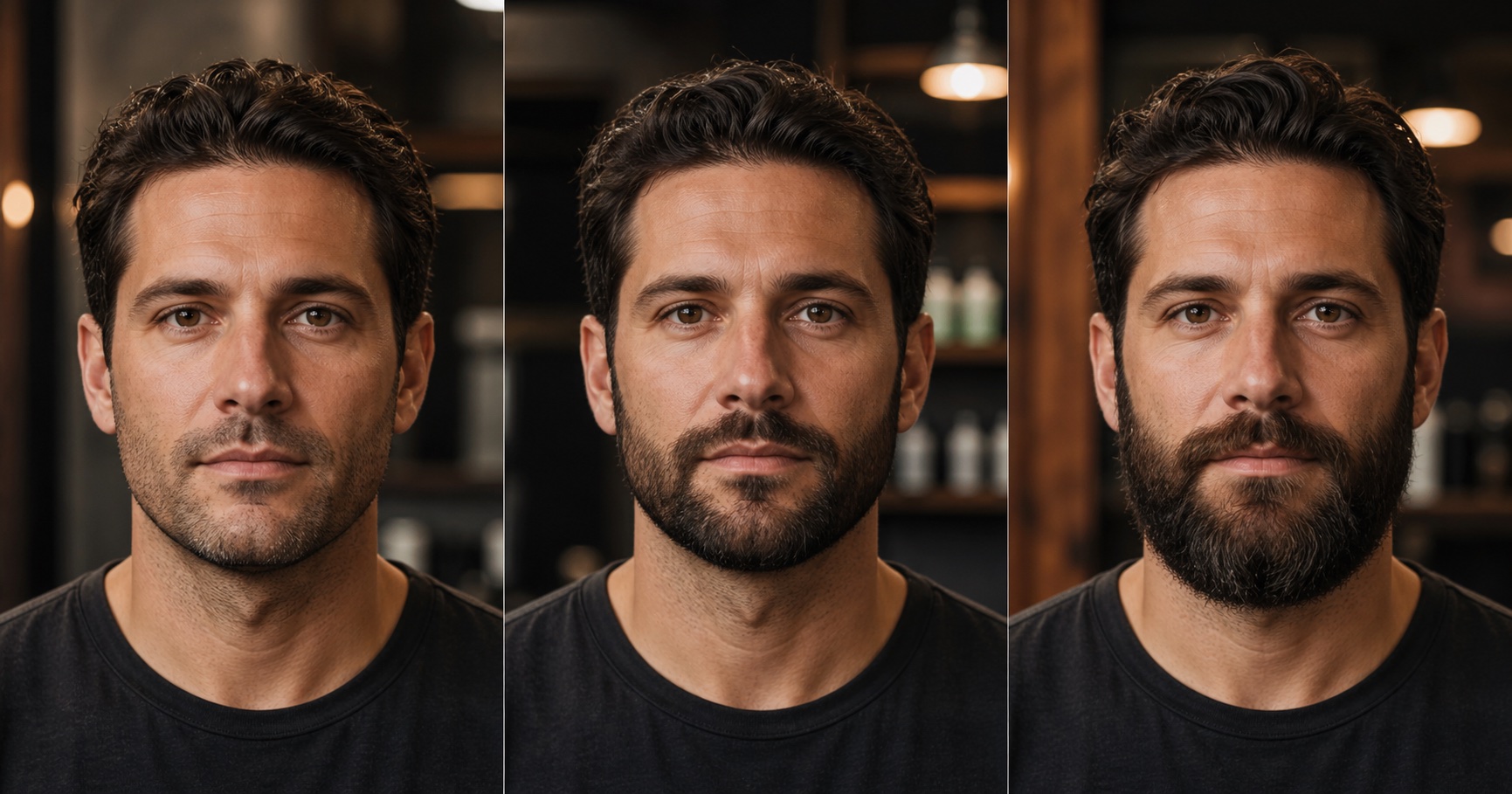
A step-by-step realistic beard preview workflow
Upload your selected adult portrait and begin with a natural short style. Confirm that the output preserves the eyes, nose, mouth, ears, jaw width, hairline, and skin tone. Next, generate two or three different lengths using the same source so the comparison remains meaningful. Save the strongest version of each category instead of dozens of nearly identical outputs.
Compare the images at the same crop and size. Look at the apparent jaw width, chin length, connection to the sideburns, and balance with the hairstyle. Eliminate results with warped mouths, painted texture, or inconsistent identity. Once you choose a direction, refine only one dimension—such as cheek height, mustache connection, or length—so you can tell which change improves the look.
- Use one clear, unfiltered adult portrait for every comparison.
- Start with short, medium, and full categories.
- Check identity and mouth shape before judging the beard.
- Compare cheek line, neckline, sideburn blend, volume, and maintenance.
- Take one or two realistic references to a barber for discussion.
How to recognize realistic facial-hair texture
Real beard hair grows in directional groups. Hair near the sideburns often flows downward, mustache hair follows the lip, and chin hair may change direction. Individual strands vary in brightness and color. A realistic preview follows the face's curvature, becomes denser gradually, and allows some skin to show through in shorter styles. A flat dark patch with uniform noise looks painted rather than grown.
Check how hair meets the mouth and nostrils. The mustache should not erase the lip edge or merge into the nose. Look for believable transition at the cheek, a clean but not razor-sharp neckline, and natural taper into the sideburns. Lighting must affect the beard too: highlights should face the same direction as highlights on the forehead and nose, while cast shadows should remain subtle.
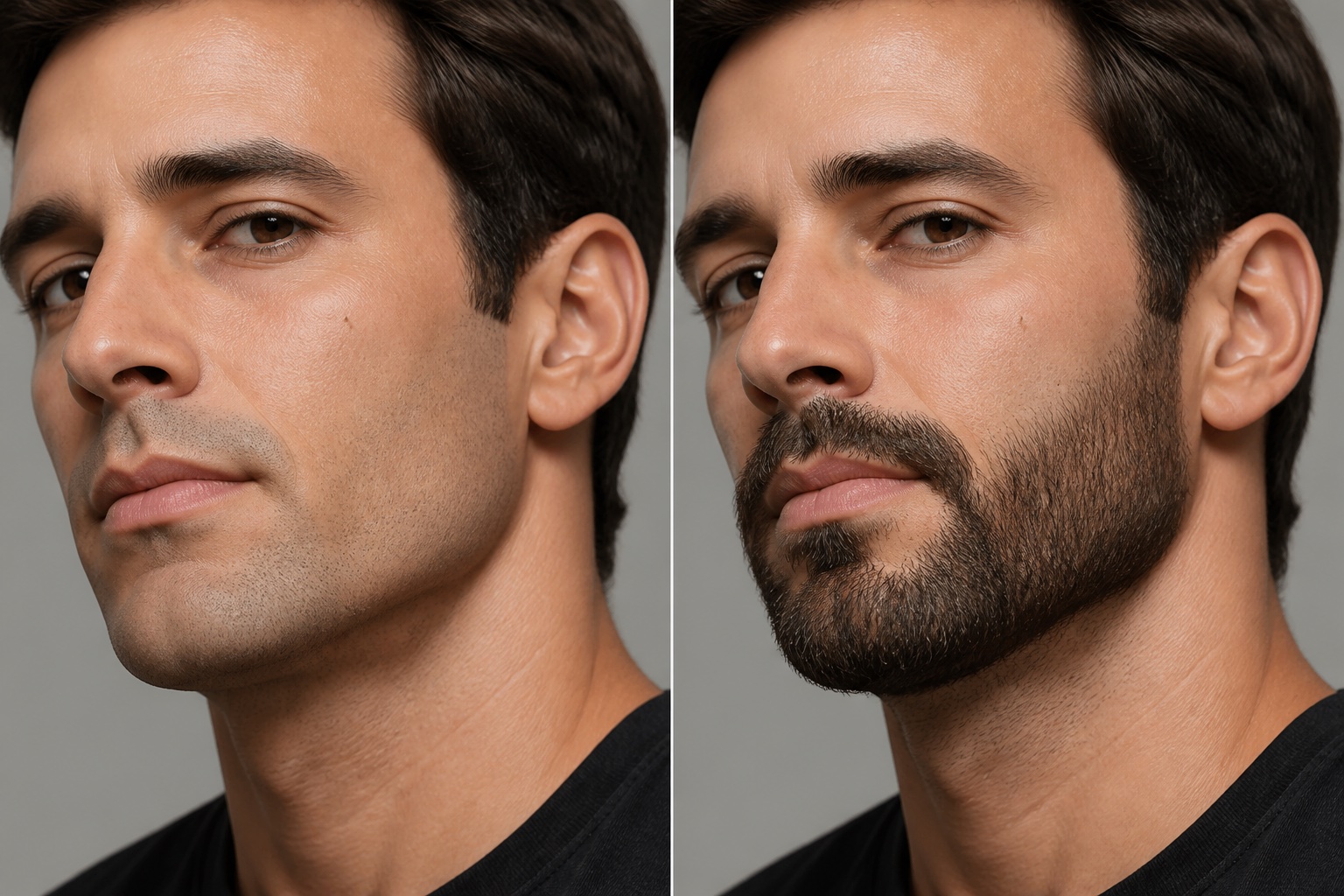
Color, density, and age should remain believable
Beard color is rarely identical to scalp hair. It may include lighter, darker, warmer, cooler, gray, or reddish strands. A convincing result respects that variation without inventing an unrelated color. Density should also match the chosen length. Short stubble reveals more skin and local gaps; a long beard can create visual fullness but should not begin from an unnaturally perfect cheek line.
The preview should not quietly change the person's age. Facial hair can influence perceived maturity, but the surrounding skin, eyes, hairline, and face shape should stay stable. If a result adds wrinkles, changes hair color, or alters the jaw to support the beard, it is no longer a clean style comparison. Return to a simpler prompt or a clearer source portrait.
Turn a generated concept into a barber reference
Bring a front view and, if possible, a three-quarter reference that shows the neckline and side volume. Tell the barber which parts matter most: overall length, cheek line, mustache connection, chin emphasis, or taper. Be open to adjustments based on your real growth pattern. A skilled barber can translate the visual goal into a style that works with density, direction, and maintenance.
Ask how often the outline will need cleaning and what tools or products support the look. A preview can hide the awkward stages between lengths, so discuss a growth plan if you are starting clean-shaven. For a stronger input portrait before generating, use the earlier portrait preparation checklist to improve light, framing, focus, and expression.
Privacy, consent, and honest expectations
Use your own portrait or obtain permission from the adult shown. Do not upload a stranger, private individual, or minor to test a grooming look. Keep original images secure and avoid sharing comparison grids that the subject has not approved. If you publish the image, an AI-generated label prevents viewers from mistaking the beard for a real current appearance.
Most importantly, do not judge real growth against a generated density. The value of the tool is visual exploration: outline, proportion, mood, and maintenance direction. Choose a concept that feels like you, then adapt it with realistic advice. A successful preview reduces uncertainty without pretending software can override biology.
People also ask
Frequently asked questions
Can an AI beard generator show what I will actually grow?
It can preview a style on your face, but it cannot predict follicle density, growth speed, or the exact pattern your real beard will follow.
What photo works best for a beard preview?
Use a sharp adult head-and-shoulders portrait at eye level with even light and a visible jaw, cheeks, mouth, sideburns, and neck.
Which beard style suits my face?
Use face shape as a starting point, then compare styles with your hairstyle, glasses, natural growth, maintenance preference, and personal taste.
How do I know if the generated beard looks realistic?
Check directional strands, gradual density, natural skin visibility, a believable cheek and neck transition, preserved mouth shape, and lighting that matches the face.