
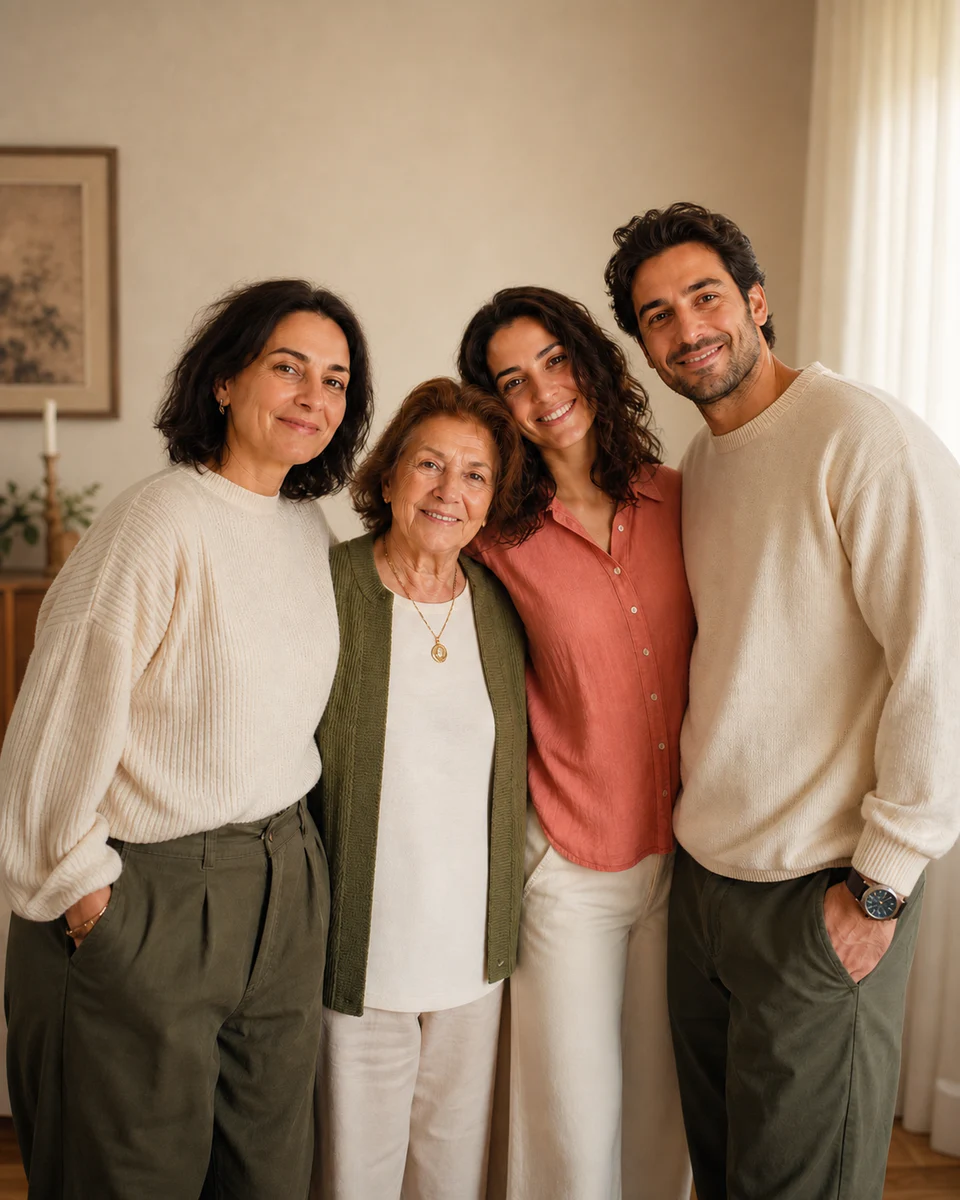
Natural AI family photos begin with source portraits that already agree on camera angle, lighting direction, image quality, and expression. Choose one clear image per person, establish a believable composition, keep head and body scale consistent, and use one shared light and color treatment. Review identity, hands, clothing edges, eye lines, contact shadows, and background perspective before sharing the result. Label the image as a composite or generated concept when viewers could mistake it for a photographed event.
Define the family portrait before selecting photos
Decide who will appear, the approximate arrangement, the mood, the setting, and the final format before browsing source files. A horizontal portrait for a living-room print needs a different composition from a vertical phone wallpaper. Note relationships that matter: a child seated between parents, grandparents placed centrally, or siblings grouped by height. This simple plan prevents the tool from making every visual decision and helps you recognize which source images can realistically belong together.
Use AI family photos as creative composites rather than documentary evidence. Start with the strongest approved sources and open the focused family portrait generator when the arrangement is clear. A precise but flexible brief—warm outdoor portrait, eye-level camera, relaxed expressions, coordinated neutral clothing—usually works better than a long prompt containing conflicting poses, locations, and visual styles.
Choose source portraits that can share one camera
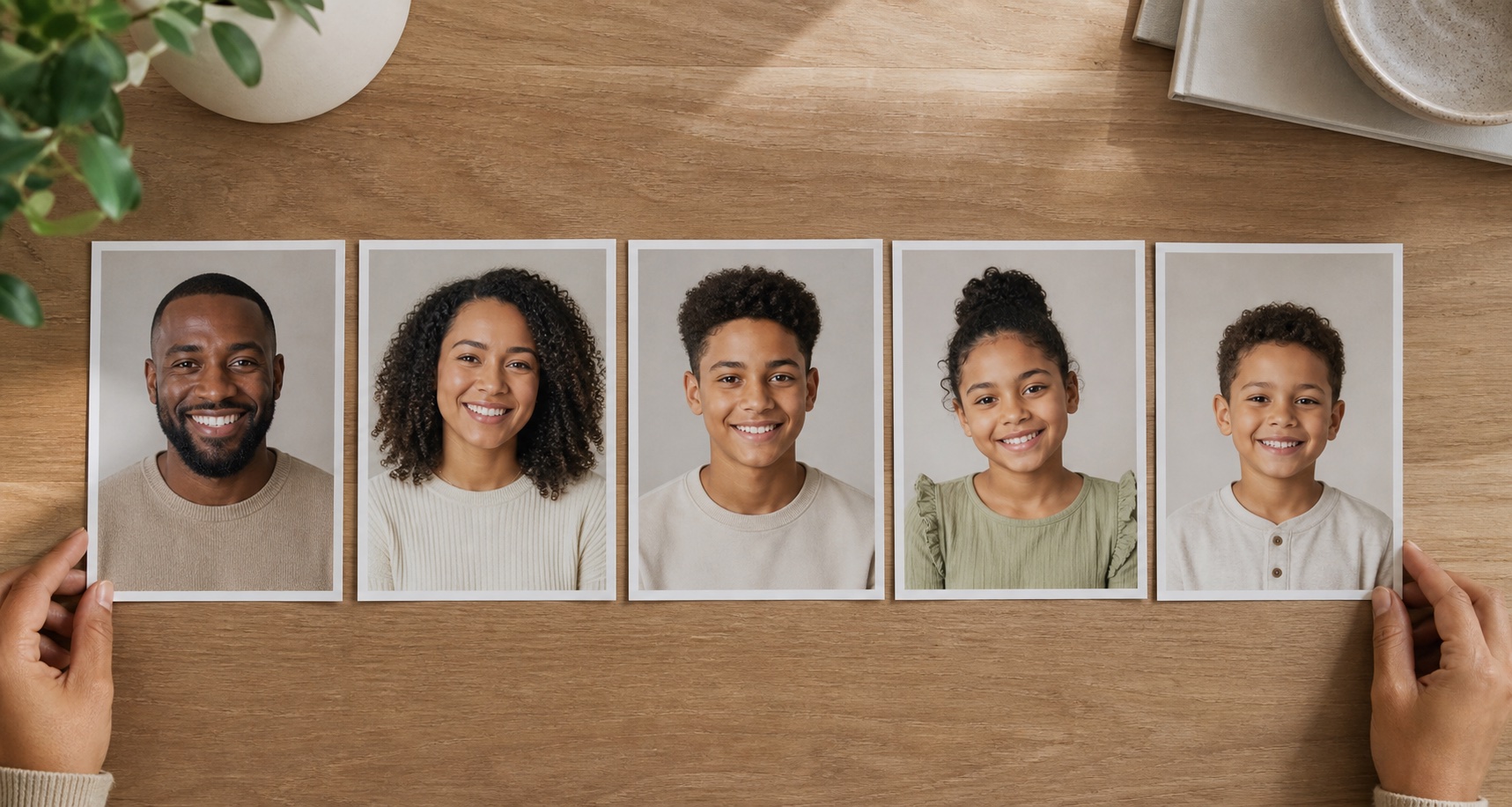
Imagine that every person stood in front of the same photographer. Their source images should have reasonably similar camera height, lens perspective, and distance. A close wide-angle selfie enlarges the center of the face, while a portrait taken from farther away appears flatter. Mixing those views can make one person look visually unrelated even when head size is corrected. Prefer eye-level portraits with the head and shoulders visible and enough room around the body for natural overlap.
Sharpness and resolution should also be comparable. One detailed modern photograph beside a tiny scanned image can make the older subject look soft or artificially reconstructed. Scan printed pictures flat at high resolution, correct rotation, and remove glare before combining them. Do not apply heavy sharpening to force equality; it creates halos without restoring identity. When sources vary, choose a slightly softer finished style that treats every person consistently rather than exaggerating the quality difference.
Match light direction and color temperature
Light direction is one of the strongest clues that people belong in the same place. Compare the bright side of each face, the shadow beneath the chin, catchlights in the eyes, and highlights on the hair. If one person is lit strongly from the left and another from the right, the group may feel assembled even when the background is beautiful. Select alternative sources or choose a final scene with broad, soft light that can plausibly include both.
Color temperature needs one shared logic. Indoor tungsten light can make skin orange, while open shade may appear blue. Correct extreme color casts gently before generation and avoid sources with colored stage lighting unless the whole concept uses that palette. Skin tones should remain true to each person rather than being normalized to one color. The goal is a common environment, not identical complexions. Check faces, necks, and hands together because inconsistent local color is particularly visible in a group.
Coordinate expressions, eye lines, and body language
A group portrait feels like one moment when expressions belong to the same emotional temperature. A formal neutral headshot, an exuberant laugh, and a candid side glance can be difficult to combine. Choose sources with relaxed expressions that fit the concept and one another. Small differences are natural, but extreme differences imply that the photographs were made at separate times. Avoid asking the system to radically rebuild a mouth or eye expression because that can weaken identity.
Eye lines create relationships. People looking toward the same camera should have pupils and head angles that support one shared position. In a candid composition, a parent looking toward a child and the child looking back can form a believable connection. Body language should also make physical sense: shoulders can overlap, hands need a clear owner, and seated people require visible support. Plan these relationships before styling clothes or scenery.
Build believable scale, spacing, and overlap
Estimate relative height and age before placing the group. Head size is a useful comparison, but it changes with distance and perspective. Adults standing on the same plane should not have dramatically different head proportions unless their real heights or positions explain it. Children should appear smaller without being miniaturized. Use shoulders, seated height, and floor position as additional cues, then check that feet and chairs align with the same ground plane when they are visible.
Overlap gives depth but must remain anatomically clear. A hand resting on a shoulder needs a continuous arm, plausible scale, and correct shadow. Do not hide every difficult boundary behind another person; the result can become a stack of floating faces. Leave comfortable space between some figures, vary the group outline, and avoid perfectly symmetrical spacing. Natural family photographs often contain small irregularities that make the arrangement feel lived rather than diagrammed.

Coordinate clothing without making everyone identical
Choose a compact palette of two or three related tones and allow variation within it. Warm neutrals, denim with cream, or muted green with brown can connect a group without creating a uniform. Repeat one tone in small areas across the portrait and avoid placing the same strong color on every person. Clothing should still reflect age, personality, culture, and the purpose of the portrait.
Inspect collars, sleeves, buttons, jewelry, patterns, and the places where bodies overlap. Generated fabric may change pattern direction or merge two garments. Fine checks, text, and logos are especially vulnerable, so use simpler source clothing when possible. Make sure memorial or heritage clothing is reproduced respectfully and does not acquire invented symbols. A visually coordinated wardrobe is valuable only when it remains accurate to the people represented.
Use one background, perspective, and shadow system
The setting should explain the group's lighting and position. Horizon height, camera angle, depth of field, and architectural lines must support the same eye-level view as the people. A strongly blurred background can hide minor source differences, but excessive blur behind sharply cut figures creates a pasted effect. Select a scene with enough detail to feel real and enough simplicity to keep attention on the family.
Add contact shadows where feet, chairs, or bodies meet surfaces and soft cast shadows consistent with the shared light. Watch for different shadow directions beneath adjacent people. Reflections in windows, polished floors, and glasses should agree with the final environment. Apply overall color and contrast after the geometry works; a cinematic filter cannot repair incorrect scale or floating subjects.
- Confirm one horizon and believable camera height.
- Check head size, shoulder height, and distance from the camera.
- Trace every visible hand and arm back to the correct person.
- Match contact shadows and cast shadows to one light direction.
- Review the group at print size and on a phone before exporting.
Review identity, consent, and final presentation
Compare each face with its source individually. Confirm stable features, skin tone, hair texture, age, glasses, marks, and expression. Then review the family as a group for unintended hierarchy or exclusion. Ask the people pictured to approve the result when possible. For children, use guardian permission and limit public identifying details. For memorial portraits, discuss the concept with close relatives before generating or sharing it.
Export a high-resolution master for print and a smaller optimized version for the web. Add alt text that describes the family scene without exposing unnecessary personal information. State that the portrait is an AI-assisted composite when it did not occur as photographed. The earlier visual brand consistency guide can help organizations apply a respectful repeatable treatment to family-focused campaigns without making individual portraits feel generic.
People also ask
Frequently asked questions
Can AI create a family portrait from separate photos?
Yes. Results are strongest when the source portraits have similar camera angle, light direction, sharpness, resolution, and compatible expressions.
How do I make an AI family portrait look less artificial?
Correct scale, eye lines, hands, overlap, ground contact, shadows, and perspective before adding a strong visual style. Preserve each person's real identity and skin tone.
What photos should I avoid for a family composite?
Avoid tiny screenshots, extreme selfies, heavily filtered faces, deep shadows, obstructed features, incompatible expressions, and photographs used without permission.
Should I disclose that a family portrait was generated?
Yes when separate images were combined or the scene did not occur as shown, especially if viewers could reasonably interpret it as a documentary photograph.